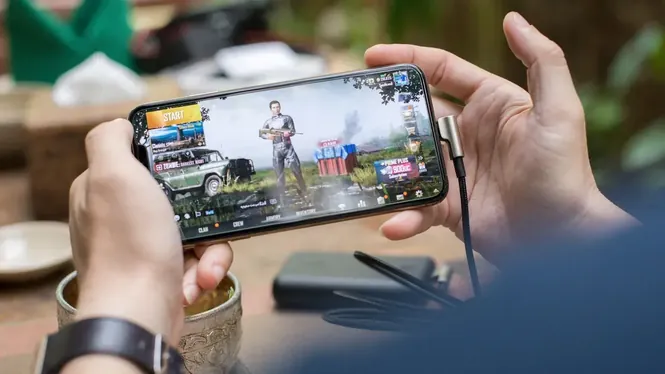

High frame rate modes are the most requested feature in mobile gaming, and also the most misunderstood. A higher number only helps if your phone can hold it steadily, and holding it depends on the whole system, not one setting.
This guide explains what high FPS really changes, what your screen and hardware must support, and how to use ZenHub GFX sensibly to chase smoothness without cooking your device. The the ZenHub GFX homepage page carries the download package and full app details.
What FPS Numbers Really Mean
FPS means frames per second: how many new images the game draws each second. At 60 FPS each frame lasts about 16 milliseconds; at 120 FPS, about 8 milliseconds.
More frames mean motion looks smoother and controls respond sooner, because the game shows the result of your input earlier. The benefit is real, but it shrinks as numbers grow.
The jump from 30 to 60 is the one every player feels; the jump beyond 60 rewards trained players in fast games and is wasted on almost everyone in slow ones. Spend your heat budget where your genre cashes it in.
If your counter shows high FPS in menus and half that in matches, you have measured the menu, not the game; some titles cap menus separately.
Your Screen Must Support It Too
A game can only show as many frames as the display refreshes. A 60 Hz screen cannot display 90 FPS, however the game is configured.
Check your phone's refresh rate first and enable its high refresh mode if it has one. Many phones ship with high refresh hardware but keep it off by default to save battery.
Some phones list a high refresh rate but restrict it per app or disable it in certain power modes. If your counter never rises, hunt through display and battery settings before concluding the hardware lied.
A small desk fan aimed at the player remains the most cost-effective high-FPS accessory ever sold.
Why Stability Beats Peak Numbers
A game locked at a steady 60 feels smoother than one bouncing between 90 and 40, because your eyes and hands notice the changes more than the average.
When testing high FPS options, judge the worst moments: crowded fights, vehicles, and effects-heavy scenes. A setting is only real if it survives those moments.
Frame pacing deserves a sentence of its own: evenly spaced frames feel smoother than the same average delivered unevenly. This is why a capped, steady rate can feel better than an uncapped mode with a higher average.
Beware of battery-saving automations that quietly re-enable themselves at twenty percent charge, mid-session, without asking.
The Settings That Cost the Most Frames
Resolution, shadows, and heavy post-processing consume the frame budget that high FPS needs. Lowering them is what buys the headroom for higher frame rates.
Think of it as trading decoration for motion. Most competitive players accept simpler shadows happily when the exchange is visibly smoother aiming and turning.
Competitive ladders quietly assume high FPS. At equal skill, the player whose screen answers sooner wins more close fights, which is why serious players treat a stable high rate as equipment, not decoration.
High refresh is a chain: panel, system setting, game support, and profile must all say yes before a single extra frame exists. Readers can find the full breakdown in ZenHub GFX Visual Customization and Game Display Guide.
Heat: The Enemy of High FPS
High frame rates keep the processor and GPU working at full tilt, generating heat that triggers thermal throttling. Many phones hold high FPS for minutes, not for a whole session.
If your frame rate decays during long play, heat is the cause. Lower one graphics step, improve airflow, and avoid thick cases during serious sessions.
If your phone supports high FPS only while plugged in or in a performance mode, decide whether that matches how you really play. A mode you never enable is not a feature; it is a brochure.
In racing games, high FPS pays for itself in braking points; in shooters, in target tracking; in rhythm games, in judgement windows.
Battery Cost of High FPS
Drawing more frames uses more energy. High FPS sessions can drain a battery noticeably faster, and some phones reduce performance automatically at low charge.
For long sessions away from power, a stable mid-level frame rate is often the wiser competitive choice than a brilliant first ten minutes followed by throttling.
Children sharing a family phone should not inherit an aggressive high-FPS profile that drains the battery before evening. Per-game profiles protect both the player's ranked session and the household's phone.
If you cannot hold the high mode, locking to the lower stable rate is not defeat; it is the correct engineering answer.
Input Delay and High FPS
Higher frame rates reduce the time between your touch and the on-screen result. This is why high FPS feels responsive even when you cannot consciously see each frame.
The effect is strongest when moving from 30 to 60. Players upgrading from 60 to higher rates notice smaller, but still real, improvements in aiming feel.
When testing, use the same demanding route each time: the same busy area, the same vehicle run, the same scope sweep. Repeatable tests make small differences visible, and small differences are what separate a holdable rate from a hopeful one.
Record your frame graph across a full session once per game; the decay curve teaches more than any single number.
Which Games Benefit Most
Fast shooters, racing games, and fighting games benefit most because their action is quick and camera movement is constant.
Slow puzzle or turn-based games gain little. Spending heat and battery on high FPS there buys almost nothing, so save the aggressive profile for the titles that reward it.
Do not forget the game's own frame limit settings, which sometimes sit below the phone's capability out of caution. The chain is only as strong as its lowest link: phone refresh, game limit, and profile choice must all agree.
New phone purchases should weigh sustained performance reviews over launch-day benchmarks, which measure minutes, not evenings. ZenHub GFX FPS and Smooth Gameplay Optimization Guide covers this in more detail.
Testing Whether High FPS Is Really Active
Many games show a frame rate counter in developer or performance settings, and some phones offer a system performance overlay.
Verify with a counter instead of trusting a menu label. If the counter never approaches the selected rate in real gameplay, your device cannot hold it and a lower setting will feel better.
High FPS also shortens the time your inputs wait for the next frame, which is why aim can feel transformed even when the visual difference seems subtle in a side-by-side video.
Some games hide their highest frame option behind the performance template's door: it appears only when other settings fall. Explore cause and effect before declaring it absent.
High FPS on Mid-Range Phones
Mid-range phones often support high FPS in lighter games but not in heavy ones. The honest approach is per-game: enable the high mode where it holds, and choose stability elsewhere.
ZenHub GFX profiles make this practical because each game keeps its own balance instead of inheriting one optimistic global setting.
If you must choose between high FPS with low resolution or moderate FPS with high resolution, competitive players almost always take the frames. Clarity can be trained around; time cannot be recovered.
Your eyes adapt upward quickly and downward painfully, another reason to choose the rate you can keep on your worst day.
A Sensible High FPS Routine
Enable high refresh on the phone, close background apps, start the game cool, choose frame rate first, then set resolution and effects to whatever keeps that rate steady in real matches.
Recheck after major game updates, because updates regularly change performance. Ten minutes of testing after an update prevents weeks of wondering why the game feels different.
Keep perspective: high FPS is a means to steadier aim and calmer motion, not a score to maximise. The moment the number stops improving your results, stop paying heat and battery for it.
Chasing frames is healthy; chasing numbers is not. The scoreboard that matters is the one inside the match.
Conclusion
High FPS is a system achievement, not a switch: the screen must refresh fast enough, the settings must leave headroom, and the phone must stay cool enough to sustain the pace. When those three agree, the smoothness is unmistakable.
Chase the highest rate your device can hold for a full session rather than the highest number in a menu. That discipline is what turns ZenHub GFX high FPS experiments into a reliable everyday advantage. Readers can find the full breakdown in ZenHub GFX FPS and Smooth Gameplay Optimization Guide and ZenHub GFX Lag Fix Guide for Low-End Android Devices.