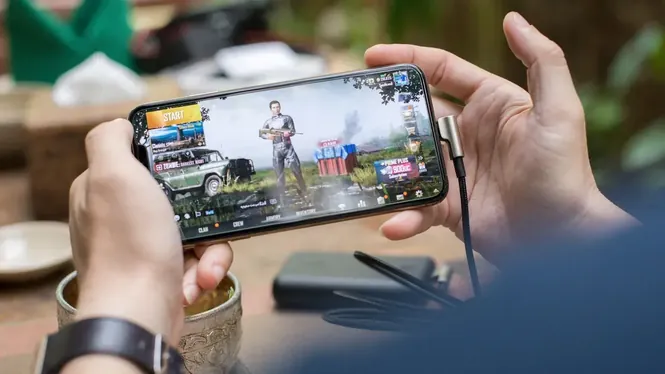
Millions of players game on phones with 2 GB or 3 GB of RAM, and their biggest problems are specific: games closing in the background, long reloads, stutter when new areas load, and occasional crashes. These are memory problems, and they need memory-focused answers.
This guide covers how RAM affects Android gaming, what ZenHub GFX settings choices help most on small-memory phones, and the system habits that make a budget device feel far more capable. The ZenHub GFX APK download page carries the download package and full app details.
How RAM Limits Gaming
RAM is the phone's working space. The system, your game, and every background app share it, and when it fills up, Android closes things or the game stutters while data is swapped in and out.
On a 2 GB phone, the game may only get a fraction of the total. Managing that small space well is the whole skill of low-RAM gaming.
There is dignity in this class of phone: it is where most of the world's gaming actually happens, and developers who ignore it ignore their largest audience. Well-made games respect it, and there are hundreds of them.
A weekly five-minute tidy, clearing downloads and retiring one unused app, keeps the storage floor from silently rising.
One Game at a Time
The simplest rule: before playing, close everything else, especially social apps, browsers with many tabs, and video apps that keep media loaded.
Recent-apps multitasking is convenient between matches but costly during them. A clean start gives your game the largest possible share of memory from the first second.
Second-hand flagship phones from a few years ago often beat new budget phones for gaming at the same price, largely on RAM and chip quality. If an upgrade is planned, that comparison is worth an evening of research.
If your phone offers memory extension using storage, understand its bargain: it smooths multitasking but is far slower than real RAM in games.
Resolution Is a Memory Setting Too
Higher resolution needs more memory for frame buffers and textures, not just more GPU power. Lowering resolution therefore relieves two pressures at once on a small phone.
On low-RAM devices, resolution is often the highest-value ZenHub GFX adjustment: one step down can remove both stutter and texture pop-in caused by memory pressure.
Cloud saves matter more on small phones, because storage pressure tempts players to uninstall games. A game whose progress survives uninstalling is a game you can rotate without loss, which suits limited storage perfectly.
Favour games that resume gracefully after being closed; on small-RAM phones, graceful resumption is a feature as real as graphics.
Texture Quality and Asset Loading
High texture settings load larger assets into memory. When memory runs out mid-match, games reload or downgrade textures on the fly, which appears as blur and hitching.
Choosing modest textures from the start keeps loading predictable. A consistently medium picture beats one that swings between sharp and broken.
Teach the phone's own tools to help: many budget devices include a game-space or memory-cleaner shortcut. Used before a session, as a ritual rather than a panic button, it formalises the clean-start habit.
Teach notifications manners: fewer chatty apps waking the system means fewer background residents competing for the same small rooms. Readers can find the full answer in Is ZenHub GFX APK Safe to Install on Android?.
Storage Space Protects RAM Behaviour
Android uses storage as breathing room for caches and temporary data. A nearly full phone behaves worse in games even if RAM is unchanged.
Keep at least a few gigabytes free: delete unused apps, clear large app caches occasionally, and move photos or videos off the device when possible.
Beware of miracle cleaner apps promising to multiply RAM. At best they close apps you could close yourself; at worst they add ads, background services, and the very memory pressure they claim to cure.
When a game offers to preload resources on Wi-Fi, accept; mid-match downloads on a small phone are a stutter delivery service.
Android Go and Lite System Habits
Many low-RAM phones ship with lightweight system editions and lite app versions for a reason: they leave more room for games.
Prefer lite versions of social and browser apps you keep installed, disable auto-playing media feeds, and remove widgets that constantly refresh in the background.
Split-screen and floating windows are features for phones with memory to spare. On 2 GB devices they are traps: charming in a shop demonstration, ruinous in a ranked match.
Second SIMs and dual apps double some background residents; if you run clones, count their memory honestly in your budget.
Restart Before Long Sessions
A restart clears accumulated background state and gives the cleanest possible memory picture. It takes a minute and prevents a class of mysterious mid-session problems.
Making restart-then-play a habit before ranked sessions or long grinds is one of the most reliable rituals a budget-phone player can adopt.
If a beloved game supports a lite or low-spec mode hidden in its settings, that mode is written by people who tested your exact hardware class. Prefer it over generic external tuning when both are offered.
A factory reset is the last resort, not the first: most memory misery is reversible clutter, and resets without changed habits regrow the same jungle.
Which Games Suit Small RAM
Some genres are naturally kinder: turn-based games, lighter battle royale titles, and well-optimised 2D games run happily where heavy open-world titles struggle.
Being honest about your phone's class and choosing games that respect it produces more fun than forcing the heaviest releases to run badly. Many excellent games are built exactly for this hardware.
Keep expectations per genre: a 2 GB phone can be a superb machine for strategy, card, puzzle, and retro gaming, and an honest struggler in the newest open-world releases. Choosing battlegrounds is strategy, not surrender.
Keep screenshots of your working settings; small phones get borrowed, reset, and 'helpfully' reconfigured by relatives. ZenHub GFX Lag Fix Guide for Low-End Android Devices explains this side of the topic in full.
Battery and Memory Together
Low-RAM phones often pair small batteries with modest chips, so the battery-friendly choices and memory-friendly choices largely overlap: lower resolution, calmer frame rate, fewer background apps.
A single lean profile can therefore solve heat, battery, and memory complaints at the same time on this class of device.
Parents buying a first gaming phone for a child should weight RAM above camera marketing. It decides how many years the phone stays pleasant far more than an extra lens does.
The second-hand market rewards the informed: last year's mid-ranger often carries double the RAM of this year's budget launch.
When Settings Are Not Enough
If a game closes instantly, fails its own minimum requirements, or corrupts downloads repeatedly, the honest answer may be that it exceeds the phone.
Check the game's stated requirements before investing hours in tuning. ZenHub GFX can optimise within hardware limits; it cannot repeal them, and no honest guide should promise otherwise.
Your notes habit matters here most of all, because budget phones get reset, shared, and replaced more often. A written profile survives every one of those events.
Your discipline is portable: the same habits make a future 8 GB phone feel luxurious instead of merely adequate.
A Realistic Low-RAM Profile
Start from the game's lowest sensible preset, set resolution modestly, cap frame rate at a level the phone holds, close all other apps, and keep storage airy.
Test in the game's busiest mode. If it survives that, it will survive ordinary play, and you have a profile worth saving and reusing daily.
With the routine in this guide, most owners are surprised by their own phone within a week: the hardware was never hopeless, it was simply never given a clean stage to perform on.
Respect the hardware, budget the rooms, and the little phone will keep surprising people.
Conclusion
Low-RAM gaming rewards discipline more than any single setting: one game at a time, modest resolution and textures, free storage, and a fresh restart before serious sessions. ZenHub GFX supplies the graphics half of that discipline in a form you can save and repeat.
A 2 GB or 3 GB phone will never pretend to be a flagship, but with this routine it can deliver steady, enjoyable play in the large catalogue of games built to respect its limits. Readers can find the full breakdown in ZenHub GFX Lag Fix Guide for Low-End Android Devices and ZenHub GFX Android Compatibility and Device Requirements.