A smooth frame rate cannot rescue a bad connection. In online games, ping decides how quickly the server hears your actions, and unstable ping produces rubber-banding and delayed hits that feel like performance problems but are not.
This guide separates network issues from graphics issues, then gives practical steps that complement your ZenHub GFX setup so both halves of online smoothness are covered. The ZenHub GFX APK download page carries the download package and full app details.
Ping, Jitter, and Packet Loss in Plain Words
Ping is the round-trip time between your phone and the game server, measured in milliseconds. Lower is better, and consistency matters almost as much.
Jitter is ping that jumps around; packet loss is data that never arrives. Both feel worse than a slightly higher but steady ping, because the game keeps correcting your position.
Keep a tiny log for a week if problems persist: time, place, network, and the in-game ping during the worst moment. Patterns that memory blurs become obvious in seven honest lines.
A lobby ping reading is a promise the match may not keep; judge by the number during the first firefight instead.
Tell Network Lag From Frame Lag
Frame lag makes the whole picture stutter, including menus and offline modes. Network lag leaves animation smooth but makes players teleport, shots register late, and movement snap back.
Test an offline mode when in doubt. The diagnosis decides the cure, and graphics settings cannot fix a routing problem.
Household diplomacy is a legitimate network tool. A shared calendar note that Saturday evening is tournament time prevents the classic disaster of a sibling's game download arriving mid-final.
If your router is older than your phone by many years, it may be the true bottleneck wearing the phone's reputation.
Wi-Fi Position and Band Choice
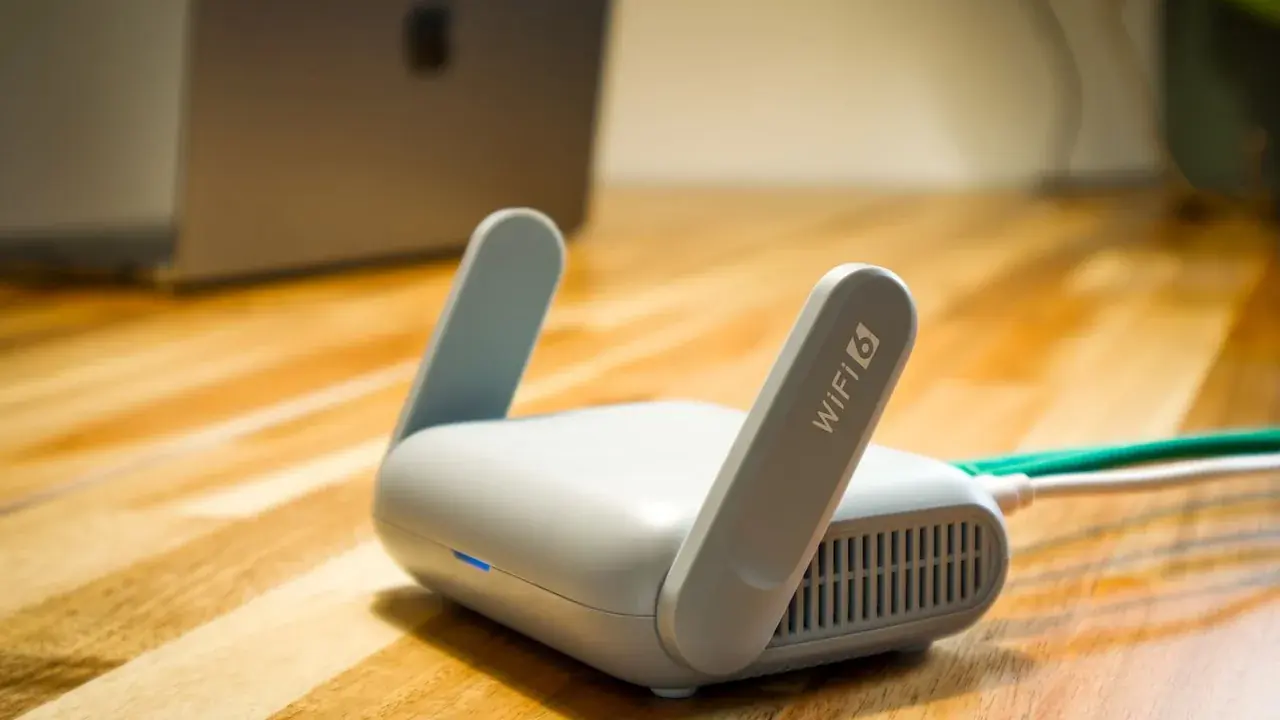
Wi-Fi weakens through walls and distance. Playing in the same room as the router, or at least with a strong signal, removes the most common home ping problem.
Modern routers offer a faster short-range band and a slower long-range band. Use the fast band near the router and the long-range band when walls force the choice, judging by stability rather than headline speed.
Some providers throttle or deprioritise traffic after a monthly threshold. If your ping worsens late in the billing cycle and recovers on renewal day, that rhythm is the signature, and no router setting will cure it.
Mesh Wi-Fi systems help large homes, but a phone pinned to a distant node gains nothing; check which node you are actually using.
Router Habits That Help Gaming
Restarting an ageing router occasionally clears memory faults that build up over months. It is an old suggestion because it keeps being true.
If your router offers a gaming or QoS mode, it can prioritise game traffic over bulk downloads. Enable it once and test, rather than collecting router tweaks endlessly.
Ethernet adapters for phones exist and work: a wired phone sounds absurd until a championship evening justifies it. For ordinary players, it remains the ultimate proof that Wi-Fi was the problem all along.
Data-saving browsers and VPN-based blockers on the same phone can queue game traffic behind their own filtering; exempt your games. Readers can find the full answer in Is ZenHub GFX APK Safe to Install on Android?.
Background Traffic Is Silent Ping
Cloud photo uploads, system updates, other people's streaming, and your own downloads all share the connection and spike your ping when they surge.
Before competitive sessions, pause backups and downloads on the phone, and where you can, schedule household heavy traffic for other times.
When a game offers both data-saving and low-latency modes, they pull in opposite directions. Choose latency for competitive play and accept the data cost knowingly.
When travelling, hotel networks often throttle per device; your settings cannot negotiate with their policy, so choose offline depth those nights.
Mobile Data Gaming Reality
Mobile data ping depends on signal strength and tower load. A strong signal outdoors may outperform weak home Wi-Fi; a congested evening tower may do the opposite.
Learn your own locations: your home, workplace, and usual play spots each have a character. Choosing the right network per place is a genuine competitive habit.
Weather genuinely affects some connections, particularly fixed wireless and ageing outdoor cabling. A problem that arrives with rain is infrastructure, and the provider, not your profile, owns the fix.
A stable 60 ms beats a wandering 30 to 90 for most shooters, because prediction systems forgive constants and punish surprises.
Server Region Selection
Most online games let you choose or automatically assign a server region. The nearest region almost always gives the lowest ping.
Playing on a distant region to join friends costs real responsiveness. Accept the trade knowingly for social play, and return to your home region for ranked sessions.
Public Wi-Fi in cafes and campuses adds captive portals, shared congestion, and aggressive firewalls to your problems. Treat it as casual-play infrastructure regardless of its advertised speed.
Report persistent routing problems to your provider with your logged times; support teams respond to evidence differently than to adjectives.
VPNs and Ping: Mostly a Cost
A VPN adds distance and processing to every packet, which usually raises ping. Claims of gaming VPN miracles deserve scepticism.
The rare exception is a broken route from your provider to the game server, where a VPN path happens to be shorter. Test with and without, in the same game, before believing either way.
If you move house, re-run the whole diagnosis in the new place instead of importing conclusions. Networks are addresses: the old evidence belongs to the old walls.
Keep the phone's network reset option as a late, deliberate tool, and re-enter Wi-Fi details calmly rather than mid-evening. ZenHub GFX FPS and Smooth Gameplay Optimization Guide covers this in more detail.
In-Game Network Indicators
Many games show ping and packet loss in settings or a corner overlay. Turn that display on while diagnosing, because feelings misreport network quality badly.
Note the numbers during a bad moment. A spike pattern points to local traffic or Wi-Fi; a constant high value points to distance or provider routing.
A second SIM from a different provider is the heavy weapon for mobile-data players in patchy regions. It costs money, so earn the decision with a week of logged evidence first.
Your squad's weakest connection sets the lobby's mood; helping a teammate fix theirs is competitive self-interest.
Heat, Throttling, and False Ping
A throttling phone processes network data slowly too, which can imitate network lag in busy scenes. If problems grow as the phone heats, suspect the device before the connection.
This is where the two halves meet: a cool, frame-stable setup from your normal routine also keeps the network stack responsive.
Remember that servers have rush hours too. A region that pings beautifully at noon may sag at prime time, and a slightly farther region sometimes wins the evening honestly.
Diagnose once, write it down, and let the note end the argument next time the same ghost returns.
A Pre-Match Connection Routine
Check signal or Wi-Fi strength, pause background transfers, confirm the right server region, glance at the in-game ping in the lobby, and only then queue.
Sixty seconds of routine prevents the classic pattern of discovering a broken connection three minutes into a ranked match that cannot be paused.
The routine at the end of this guide is deliberately short enough to survive laziness. A perfect checklist abandoned in a week loses to a good one performed for a year.
Calm infrastructure, like calm settings, disappears from attention, which is how you know it is working.
Conclusion
Ping problems wear the disguise of performance problems, and many players waste weeks tuning graphics for what was always a Wi-Fi signal two rooms away. Diagnose first: offline test, in-game numbers, then the fix that matches the evidence.
Combined with a stable ZenHub GFX profile, a short connection routine covers both halves of online smoothness, and your matches will be decided by play rather than by infrastructure. Readers can find the full breakdown in ZenHub GFX FPS and Smooth Gameplay Optimization Guide and ZenHub GFX Not Working? Common Problems and Fixes.